PlayersCharts User Guide
Welcome to the PlayersCharts User Guide.
This guide explains the features and operation of PlayersCharts, including player management, court assignments, game flow, and other useful functions to help you organize basketball and volleyball games more efficiently.
1. Add Players
 |
| 
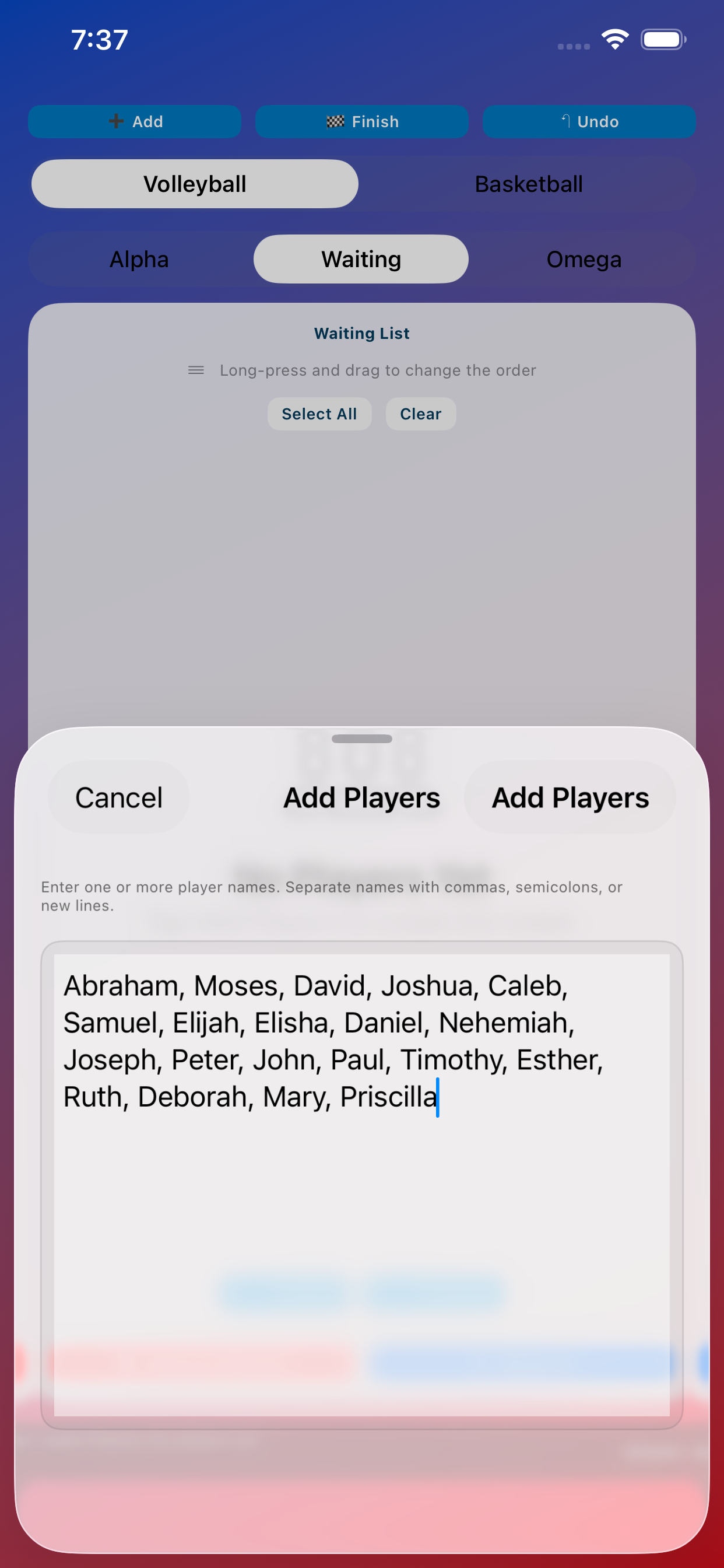
Add player's name.
Enter player names separated by commas, then submit the list. Choose Volleyball or Basketball mode to set the team size and court layout.
2. Arrange Teams
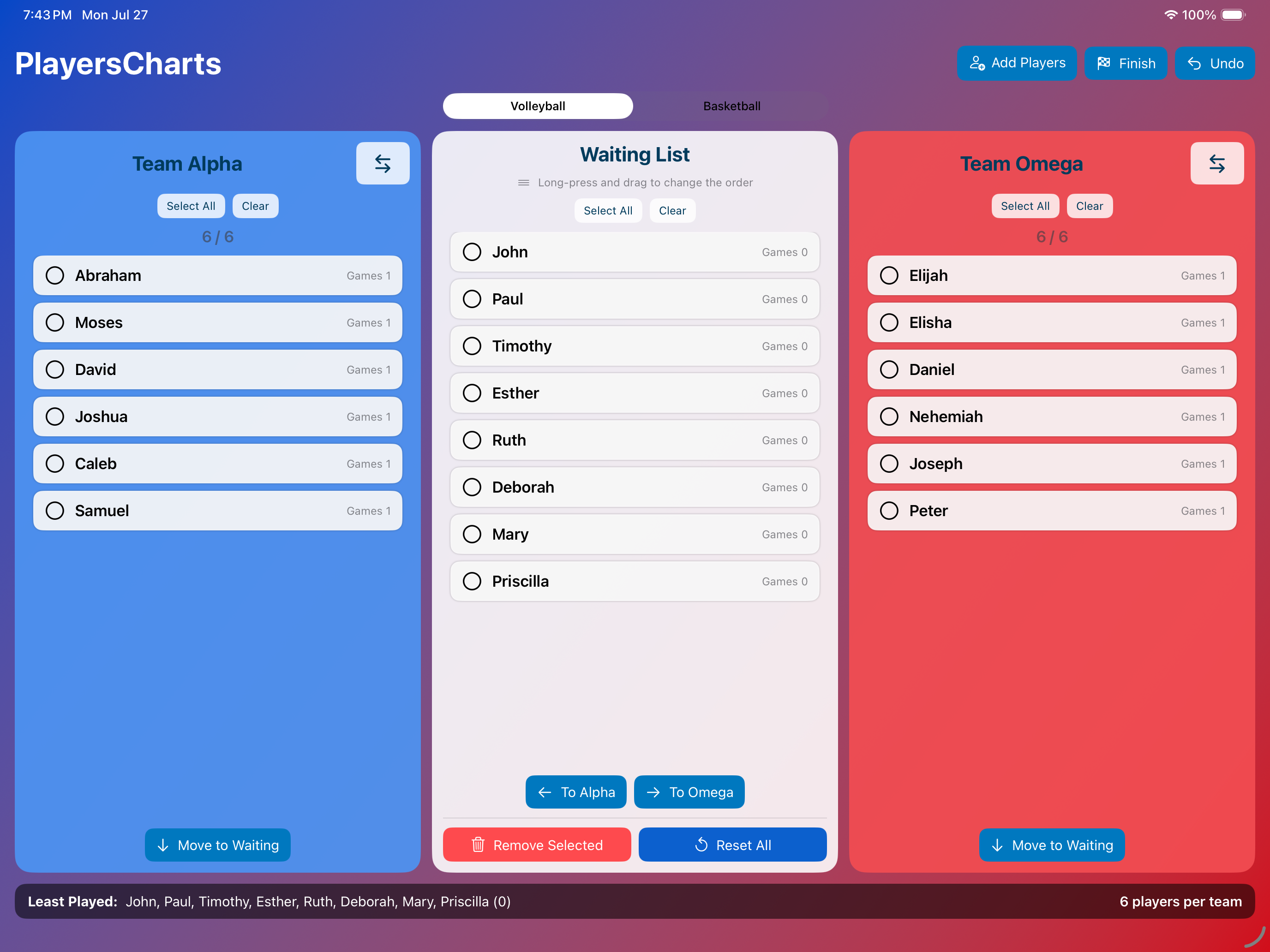
iPad Screen: Volleyball mode
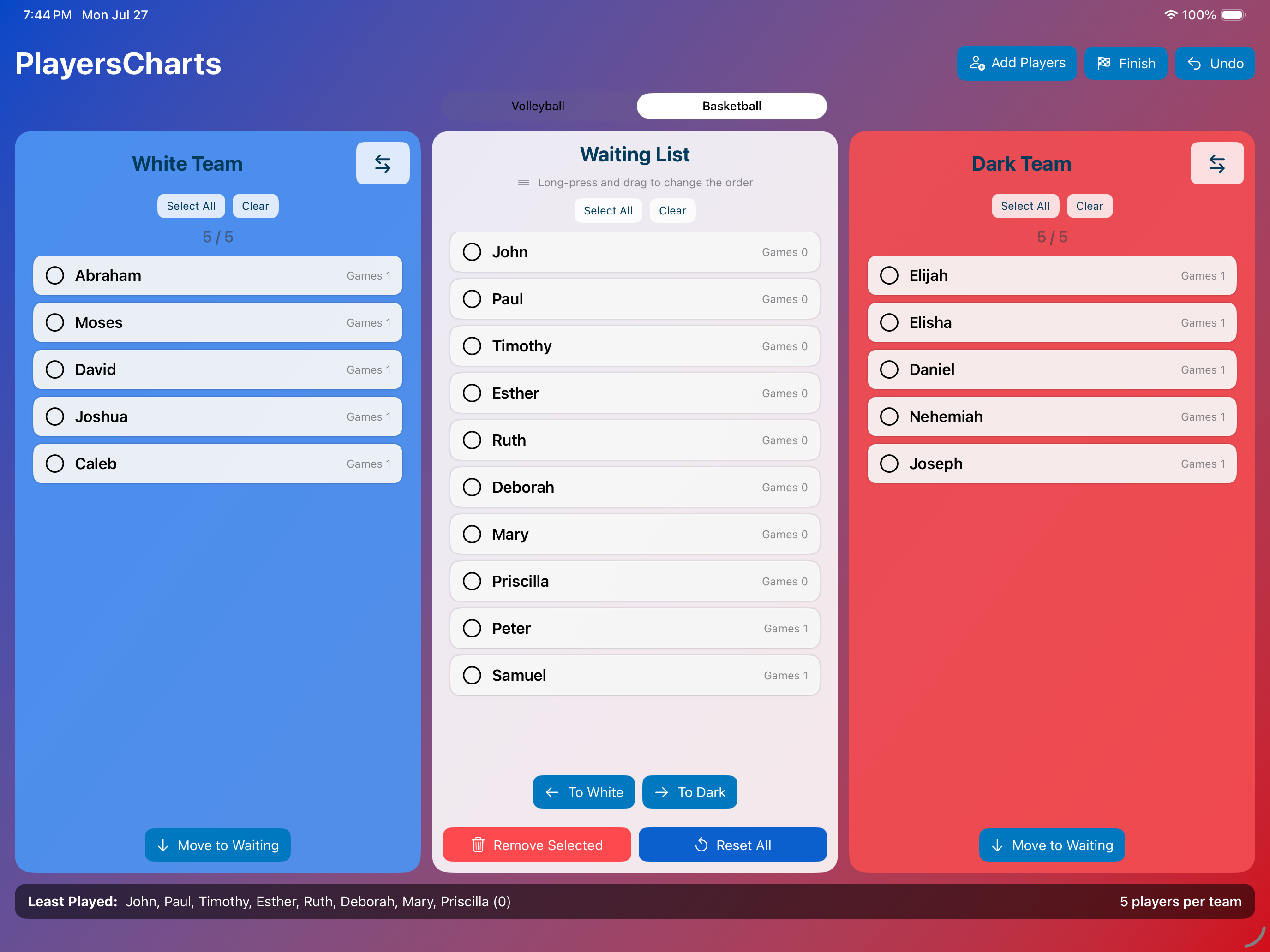
iPad Screen: Basketball mode
Assign players from the Waiting List to the desired team.
Select one or more players, then tap the appropriate team button:
• Volleyball: ← To Alpha or → To Omega
• Basketball: ← To White or → To Dark
3. Complete a Game

Tap the Finish button when a match is complete.
Player game counts are updated so the organizer can easily see who has played more or fewer games.
4. Correct a Mistake

Tap Undo to restore the previous player arrangement or game-count state.